Making graphics with Claude without an image model
25 October 2026 · Case studies · 2 min read
I've recently started to see image models in a different light. I previously saw them as revolutionary, noting how close to real-life some of them could look. Now the hype is over, I'm increasingly annoyed when I see image models being used in place of actual photos or to create graphics that do not require an image model.
I'm glad Claude can't create images using an image model.
Drawing on canvas
As part of my game, Crunch, I needed to put together some images for the app store listing. I was going to take some of the images myself by playing the game then manually put them together as collages in Photoshop. It would have taken a while and isn't something I particularly enjoy doing. Instead, I had an idea to ask Claude to take the images itself using the game's HTML canvas.
Claude wrote scripts to place the game objects on the canvas and used the game code to ensure it looked like a game was in progress. It took the pictures on the canvas and even stitched them onto a background with some text above - something that would have taken hours in Photoshop.
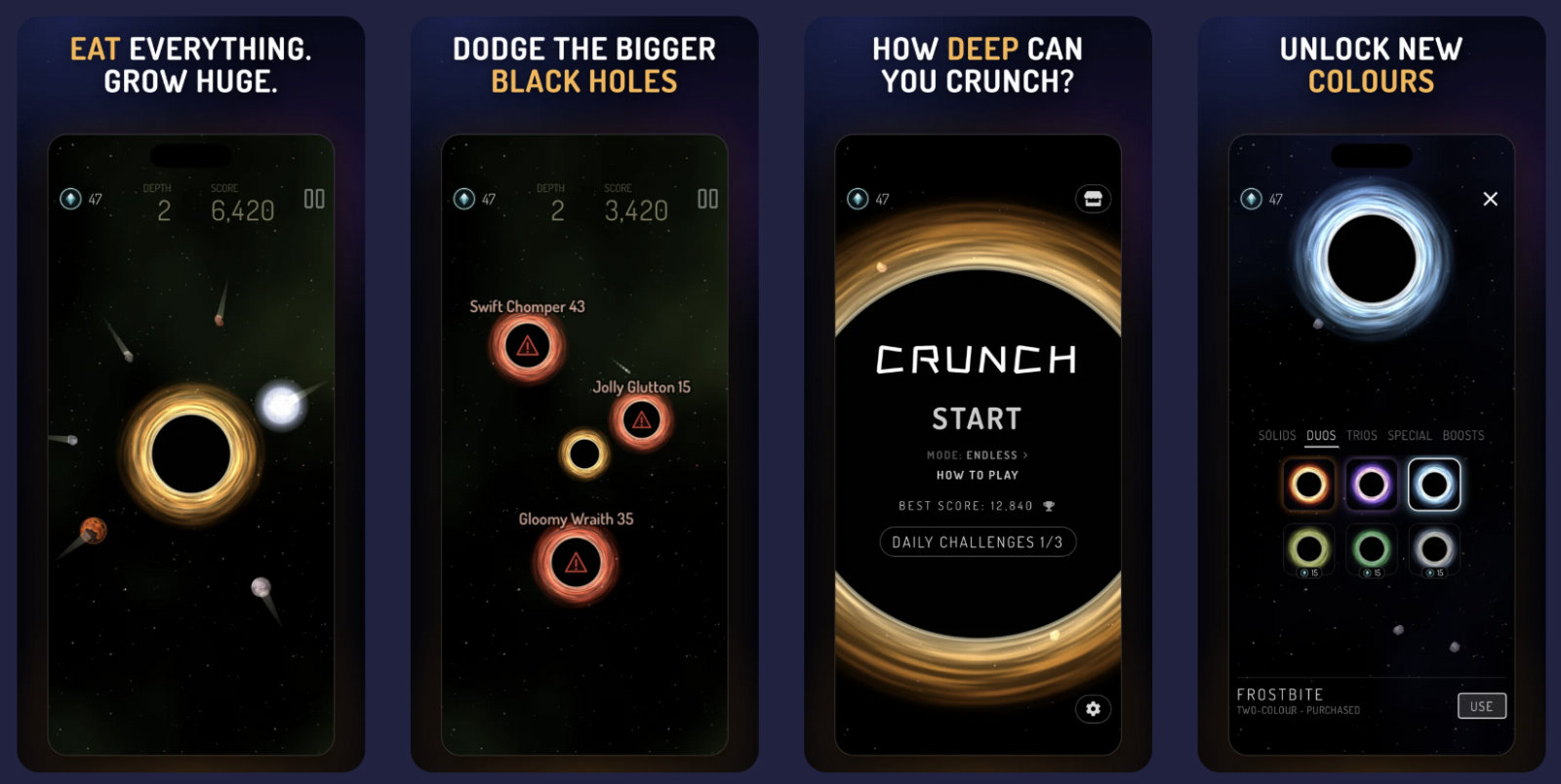
The Showcase
I had another idea. If Claude could take still frames of the game's canvas, could it script the objects moving on the canvas and take a series of stills to make a video? I asked Claude to build the groundwork for this and we built a showcase trailer.
I'll admit it wasn't perfect on the first run. Claude has a hard time spotting visual problems, so a human is definitely needed to check each scene carefully before stitching the video together. The scripts build each video separately so individual tweaks don't need the whole video to be re-rendered.
I think the video turned out really well, considering the whole thing was made using scripts running within the game itself.
Why drawn images are better than image models
Claude is really good at code, and this is just drawing an image with a coding language. It can draw shapes and graphics really well on canvas. It's also repeatable so changes are iterative rather than starting fresh each time like with an image model.
Where it fails
Anything photorealistic cannot be drawn this way. It's made for vector-type graphics. Things like logos and graphics.
The quality depends on how well Claude can express a look in code. Our starfield looks good because stars, glows and gradients are easy to do in code. A portrait couldn't be done this way.
It could be used together with an image model. I haven't really had much need to combine the two but I could see how it might work.
If you want to try it out yourself, the image version of the generator skill can be downloaded here: Canvas image generator skill